
Clear business calls and reliable video meetings depend on more than selecting a suitable communications platform. The office network must carry voice, video, screen sharing, file transfers, and ordinary business traffic at the same time. When these flows compete without a plan, users may experience robotic audio, frozen video, delayed messages, or dropped calls.
This guide explains how to prepare the network for Unified Communications in Singapore. It focuses on bandwidth planning and Quality of Service (QoS), rather than platform selection. The aim is to give your IT team a practical method for identifying capacity requirements, prioritising real-time traffic, and testing the result before deployment.
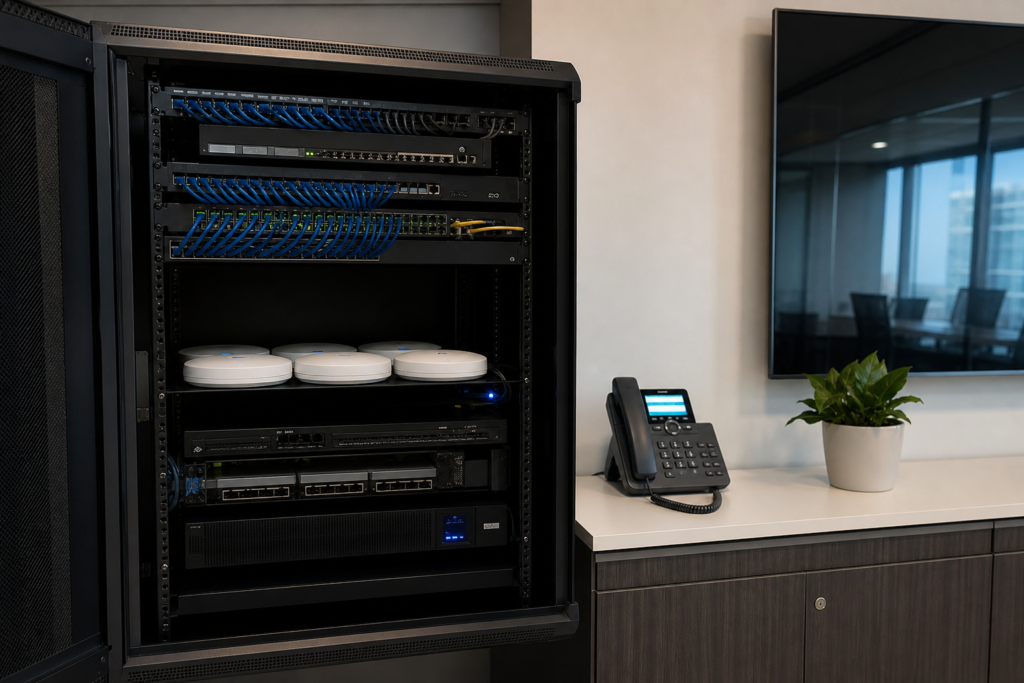
Why Unified Communications traffic needs special treatment
Web browsing and email can usually tolerate a short delay. A voice call cannot. Real-time communications are sensitive to three network conditions:
- Latency: the time required for packets to travel between endpoints. High latency creates noticeable pauses or people speaking over one another.
- Jitter: variation in packet arrival time. This can make audio sound uneven or distorted.
- Packet loss: packets that fail to reach their destination. Even a small amount can affect speech intelligibility and video quality.
Bandwidth still matters, but a large internet connection does not automatically solve these problems. A busy switch uplink, overloaded wireless access point, poorly configured firewall, or saturated upload channel can affect calls even when the overall connection appears fast during a basic speed test.
Start with a traffic inventory
Before calculating capacity, document how people will use the system. Count more than desk phones. A typical Singapore office may have staff using laptops, mobile applications, meeting-room systems, reception phones, contact-centre functions, and browser-based collaboration tools.
Record the expected number of simultaneous sessions during a normal busy period. For example, 40 employees may not create 40 video calls, but several people could be in meetings while others are using voice calls, screen sharing, or softphones. Include hybrid workers who connect through the company VPN if that traffic passes through the office network.
A simple inventory should include:
- Number of users and devices that will use the platform.
- Expected concurrent voice calls and video meetings.
- Meeting-room screens, cameras, and conference devices.
- Softphones on wired networks, Wi-Fi, and mobile connections.
- Call recording, voicemail, contact-centre, or CRM integrations.
- Other bandwidth-intensive activities, such as cloud backups, large file transfers, and software updates.
Separate the busiest expected period from the daily average. Network planning based only on an average can leave insufficient capacity for scheduled meetings, company-wide briefings, or peak customer-service hours.
Estimate bandwidth without overcomplicating it
Platform vendors publish recommended bandwidth figures for their codecs and meeting modes. Use those figures as the starting point because requirements vary according to audio quality, video resolution, screen sharing, packet overhead, and whether traffic is sent directly or through a cloud service.
For a basic estimate, use this calculation for each traffic type:
Required capacity = number of concurrent sessions × bandwidth per session
Then add capacity for signalling, protocol overhead, normal business traffic, and growth. Treat the result as a planning estimate, not a guaranteed service level. A better assessment tests the actual platform, endpoints, and network path under realistic conditions.
For example, an office might estimate separate demand for voice calls, video meetings, and screen sharing, then review whether the upload and download capacity can handle their combined peak. The upload direction is especially important for offices where many users send video or share screens at once.
Do not overlook the local network
Internet bandwidth is only one part of the path. Check the capacity of switch uplinks, wireless access points, firewall interfaces, and inter-office connections. A single congested link can become the bottleneck.
For Wi-Fi users, review channel utilisation, access-point placement, client density, and roaming behaviour.
Use QoS to protect real-time traffic
Quality of Service allows the network to classify and prioritise selected traffic when links become busy. It does not create additional bandwidth. Instead, it helps ensure that time-sensitive voice and video packets are handled before less urgent traffic, such as a large download.
A practical QoS design normally covers four stages:
- Classify: identify voice media, video media, signalling, and ordinary data. Classification may use trusted device markings, application information, VLANs, or firewall rules.
- Mark: apply consistent packet markings, such as DSCP values, where supported by the platform and network equipment.
- Queue: configure switches, routers, firewalls, and wireless infrastructure to place real-time traffic in suitable queues.
- Police and shape: control traffic at constrained links, particularly the internet edge, so that important packets are not discarded unpredictably during congestion.
QoS must be configured consistently across the route. Marking traffic on a laptop is not enough if a switch removes the markings, or if the firewall ignores them. Confirm that your internet service, security appliance, switching infrastructure, and access points support the required policies.

Separate traffic where it improves control
Many organisations use dedicated VLANs for voice devices, meeting-room equipment, staff data, and guests. Separation can make policies easier to manage, reduce accidental exposure, and simplify troubleshooting. It is not a substitute for QoS, but it gives the IT team clearer control over which devices may communicate and how their traffic is treated.
When designing voice or communications VLANs, consider DHCP options, DNS, firewall rules, device provisioning, and access to cloud services. Desk phones may need to reach provisioning servers, call-control services, time servers, and firmware repositories. Meeting-room systems may require different outbound destinations from ordinary laptops.
Keep guest traffic isolated from internal communications devices. If staff use personal devices for softphone applications, decide whether those devices belong on the staff network, a managed mobile-device segment, or another controlled access path.
Check the internet edge and security controls
Firewalls and secure web gateways protect the business, but their inspection and session-handling features can affect real-time media. Review the platform’s requirements for ports, protocols, media relays, and encrypted traffic. Avoid opening broad inbound access when the service supports secure outbound connections instead.
If the office uses dual internet connections, confirm how communications traffic behaves during failover. A secondary link may have different latency, upload capacity, public addressing, or firewall policies. Test whether calls reconnect, whether active meetings recover, and whether emergency calling requirements are handled appropriately.
For offices connected by SD-WAN, MPLS, or site-to-site VPNs, measure each path rather than assuming that the shortest route is the best route. A Singapore headquarters may have excellent local performance but poor quality to a branch or cloud region if routing is not optimised.
Test with real devices and realistic load
Testing should happen before a full rollout and during the busiest practical period. Include wired phones, Wi-Fi laptops, meeting-room equipment, and mobile users where relevant. Test calls inside the office, calls to external numbers, and meetings involving remote participants.
During the test, monitor:
- Round-trip latency, jitter, and packet loss.
- Upload and download utilisation at the internet connection.
- Switch-port, uplink, firewall, and access-point utilisation.
- Call quality indicators provided by the communications platform.
- Behaviour when backups, updates, or large file transfers run concurrently.
Use controlled load where possible. Ask a test group to join a meeting, share a presentation, turn on cameras, and place calls while another system generates ordinary business traffic. Record the conditions and results so that future changes can be compared against a known baseline.
A practical rollout sequence
For a small or mid-sized Singapore office, the following sequence keeps the project manageable:
- Document users, devices, locations, and busy-period communication patterns.
- Map the complete network path from endpoint to service, including Wi-Fi, switches, firewalls, and internet connections.
- Confirm platform bandwidth and connectivity requirements.
- Design VLAN, QoS, security, and failover policies.
- Test a representative group of users and meeting rooms.
- Resolve bottlenecks before expanding the deployment.
- Monitor performance after launch and review the design when user numbers or applications change.
If your organisation is still connecting separate calling, meeting, and messaging tools, the guide on connecting voice, video, and team messaging provides useful context for defining the wider communications environment.
When to involve an IT integration partner
External support can be useful when the network spans several offices, includes legacy PBX equipment, relies heavily on Wi-Fi, or requires integration with CRM and business applications. A partner can help correlate platform reports with network telemetry, review firewall policies, and document the final configuration.
Choose a team that can assess both communications and infrastructure. A phone system may be correctly provisioned but still perform poorly if the underlying switching, wireless, or internet design is unsuitable.

Prepare your network before users depend on it
Reliable Unified Communications is the result of coordinated planning: realistic traffic estimates, suitable capacity, consistent QoS, sensible network separation, and testing under load. Addressing these areas before rollout reduces avoidable call-quality problems and gives your IT team a clearer way to troubleshoot future changes.
For help reviewing your office network and communications requirements, contact Data Dynamics about an integrated IT and Unified Communications solution in Singapore.