
Many Unified Communications projects focus on platform features, handset choices, or video meeting capabilities. Yet the day-to-day caller experience is often shaped by something simpler: what happens when somebody dials your business.
If a caller is sent to the wrong department, waits in an unmanaged queue, or reaches a voicemail box that nobody monitors, even a capable communications platform can feel inefficient. A clear call flow gives customers, suppliers, and employees a predictable route to the right person.
This guide explains how to plan business call flows for a Singapore organisation, including auto attendants, hunt groups, queues, business hours, overflow rules, and escalation paths.
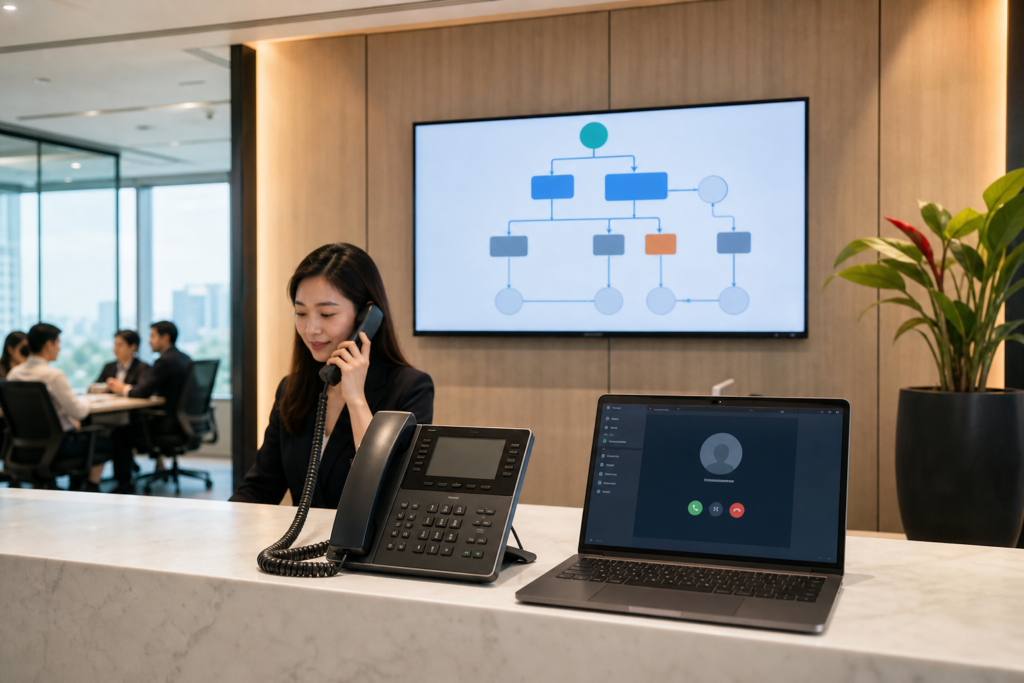
Start with the caller journeys, not the phone system
Before configuring menus or assigning extensions, list the common reasons people call. A customer may want sales, technical support, billing help, or an update on an existing order. A supplier may need reception, procurement, or a specific employee. Internal staff may call a shared service desk, facilities team, or emergency contact.
These journeys should determine the structure of the system. Avoid creating a long menu simply because the platform allows many options. If callers must listen to seven or eight choices before selecting one, the menu may be reflecting the organisation chart rather than the caller’s needs.
A useful starting exercise is to document:
- The main types of inbound callers.
- The departments or people responsible for each enquiry.
- When those teams are available to answer calls.
- What should happen when nobody answers.
- Which calls need priority handling or rapid escalation.
Build a simple auto attendant
An auto attendant, sometimes called a virtual receptionist, guides callers using spoken prompts and keypad selections. For many businesses, the first menu should be short and easy to understand.
A typical structure might be:
- Press 1 for sales.
- Press 2 for customer service or technical support.
- Press 3 for billing.
- Press 0 for reception.
Use plain language and identify the department by the problem it solves. “For help with an existing order” may be clearer than “For operations.” If your business serves callers in more than one language, decide whether the language choice should come first or whether separate numbers are more suitable.
Keep the following design details consistent:
- State the company name at the start of the greeting.
- Explain the menu options in a logical order.
- Repeat or redirect callers who make no selection.
- Provide an option for reception or operator assistance where appropriate.
- Review recorded prompts whenever departments, staff, or opening hours change.
Do not make callers guess which option to choose. A short, well-maintained menu usually performs better than a detailed one that is difficult to update.
Separate queues from hunt groups
Not every department needs the same call-handling method. A hunt group rings a selected group of extensions according to a rule, such as ringing everyone at once or trying staff members in sequence. This can suit a small reception or a team where calls should be answered quickly by any available person.
A call queue is more appropriate when several callers may wait for the next available agent. It can play hold announcements, provide estimated position information where supported, and distribute calls using rules such as longest idle or round robin.
For each department, ask:
- Does every team member have the same responsibility?
- Should callers wait, leave a message, or be redirected?
- Is it important to record missed calls and callback tasks?
- Will the team answer calls from desk phones, mobile devices, or a desktop application?
For example, a small Singapore office may use a hunt group for reception, a queue for customer support, and a direct number for senior account managers. These choices should reflect working practices rather than a one-size-fits-all configuration.
Define business hours and holiday behaviour
A call flow should not stop at “the office is open” or “the office is closed.” It should explain what happens during normal hours, lunch periods, public holidays, planned closures, and unexpected disruptions.
During business hours, calls might go to a queue. After the queue reaches its waiting-time limit, the caller could be offered voicemail, a callback request, or an alternative department. Outside business hours, a separate greeting can provide opening times and direct urgent callers to the appropriate process.
Singapore businesses should maintain a clear calendar for public holidays and company-specific closures. Assign responsibility for updating it, because an outdated holiday schedule can send callers to unattended extensions or create unnecessary out-of-office messages.
Consider a separate rule for lunch breaks if the office does not maintain full reception coverage. A short message explaining the break is generally more helpful than allowing calls to ring without an answer.
Plan overflow and escalation before launch
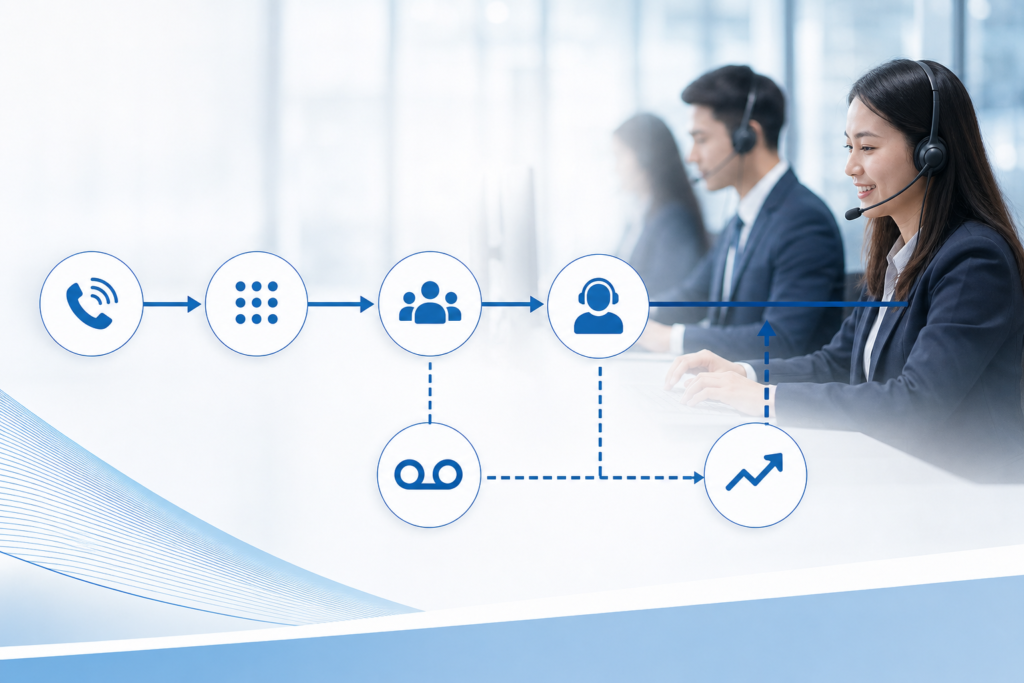
Every queue needs an answer to one question: what happens when the first person cannot respond? Overflow rules prevent a call from becoming invisible after a fixed number of rings or a long waiting period.
Possible actions include sending the call to another team, ringing a supervisor, offering voicemail, or presenting a callback option. The right choice depends on the urgency and sensitivity of the enquiry. A facilities request may be handled differently from a service outage or a time-critical customer issue.
Use escalation sparingly. If every unanswered call rings multiple managers and mobile numbers, staff may begin ignoring the system. Instead, define which call types genuinely require escalation, who owns the response, and how the handover is recorded.
Document an escalation example
For a technical support queue, a practical sequence might be:
- Ring available support agents for a set period.
- Place the caller in the queue if all agents are busy.
- Offer a callback or voicemail after the maximum wait time.
- Alert the support lead when the queue or callback list reaches an agreed threshold.
- Route urgent after-hours incidents to the approved on-call process.
The system configuration should match the documented process. Otherwise, staff may receive an alert without knowing who should act or what information to collect.
Connect calls to the right people and devices
Unified Communications can allow employees to answer from desk phones, computers, mobile applications, or other approved devices. This flexibility is useful, but it can also create confusion if presence, forwarding, and device rules are not defined.
Decide when a user should be reachable on multiple devices, when a call should go to voicemail, and whether personal mobile numbers should remain private. For remote or hybrid staff, consider using business caller ID and a company-managed application rather than informal call forwarding.
It is also worth checking how the system handles:
- Missed-call notifications and callback ownership.
- Transfers between internal extensions and external numbers.
- Busy, away, and do-not-disturb statuses.
- Shared lines, reception coverage, and delegated answering.
- Call recording access, retention, and notification requirements.
Call recording and personal data should be handled carefully. Establish an internal policy covering who may access recordings, how long they are retained, and how callers are informed where required. For Singapore organisations, review the arrangement against applicable privacy and organisational requirements before enabling recording across all queues.
Test the experience from a caller’s perspective
Configuration is not the same as a successful call flow. Test with real scenarios, using internal and external numbers where possible. The tester should not only confirm that calls connect; they should assess whether the prompts are understandable, the wait experience is acceptable, and the final destination is correct.
Run tests for normal hours, after-hours calls, public holidays, busy queues, unanswered calls, transferred calls, and temporary staff absence. Include calls from mobile networks, because the audio experience and caller ID may differ from an internal test.
It is helpful to give each scenario an owner and an expected result. For example, “a caller selecting support reaches the support queue, hears the correct greeting, and receives the agreed overflow treatment after the threshold.” Record any difference between the expected and actual behaviour, then retest after changes.
For wider planning, review the Unified Communications readiness checklist before selecting or redesigning a platform. Call flows also depend on network conditions, so the guidance on bandwidth and QoS for clear calls can help your team assess the supporting infrastructure.
Measure and improve after deployment
Once the call flow is live, review how it performs in practice. Useful indicators may include abandoned calls, missed calls, queue wait times, callback completion, transfer frequency, and voicemail volume. These figures should be used to find friction, not to create unnecessary pressure on staff.
Ask employees where callers commonly select the wrong option. Ask customers whether the menu language is clear. If many callers choose reception because they cannot identify the correct department, the menu structure may need to change.
Keep a change log for prompts, numbers, queue members, business hours, and escalation rules. A quarterly review, and an additional review after a major organisational change, can prevent call flows from becoming outdated.

Make your next call-flow project practical
A good call flow is short, predictable, and matched to the way your teams actually work. Start with caller journeys, use queues and hunt groups for different purposes, define overflow rules, and test every important scenario before launch.
If you are reviewing a new or existing Unified Communications solution in Singapore, Data Dynamics can help you assess the user experience, telephony structure, and supporting setup. You can also review IP PBX and cloud system options as part of a wider communications plan.