
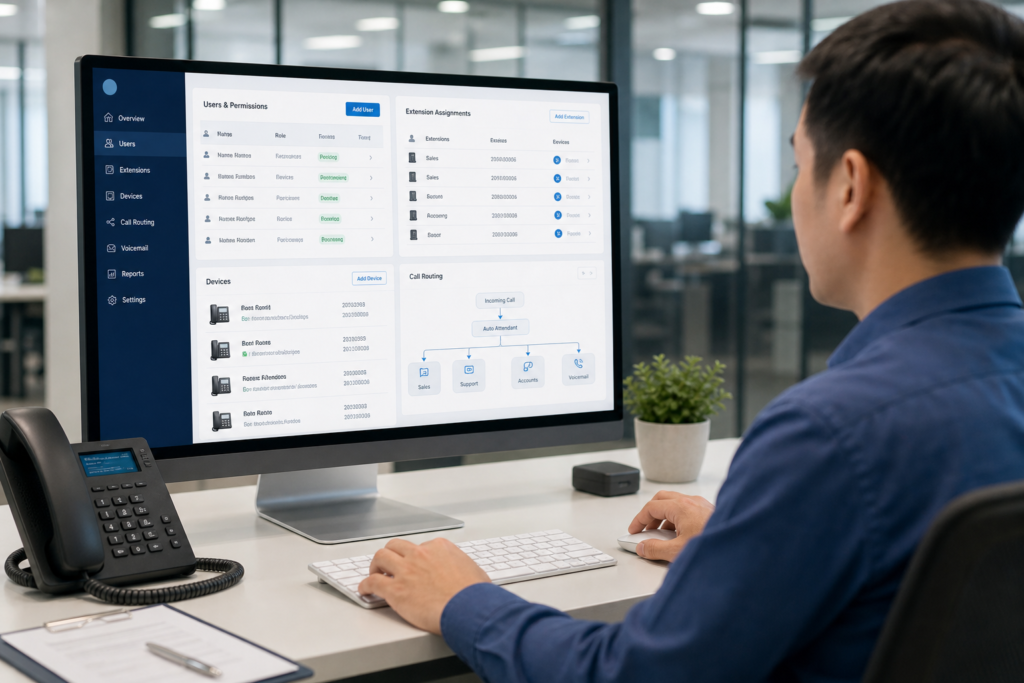
A business VOIP phone system is not a set-and-forget service. As employees join, change roles, move between departments, or leave the company, their extensions, devices, permissions, and call routing must be updated as well.
Without a clear process, small changes can create avoidable problems: calls may continue ringing on a former employee’s phone, a new team member may lack the right permissions, or confidential voicemail and call records may remain accessible after someone leaves.
This guide explains how to manage VOIP users throughout their employment lifecycle, with practical steps for Singapore businesses using cloud, hosted, hybrid, or on-premise phone platforms.

Why VOIP user management deserves a formal process
User administration affects more than the extension list. It can influence customer service, internal communication, billing, security, and the way calls are handled during busy periods.
For example, adding a user may involve assigning an extension, provisioning a desk phone or softphone, placing the user in a hunt group, setting voicemail, and configuring outbound caller ID. Removing a user may require the reverse, plus preserving business numbers, recordings, and relevant call history.
A simple joiner, mover, and leaver process helps ensure these tasks are completed consistently rather than relying on informal requests or memory.
Start with a VOIP user and extension register
Before changing your system, create a current register of users and phone resources. This can be a controlled spreadsheet, ticketing system, or asset management platform, provided that ownership and update responsibilities are clear.
At minimum, record:
- Employee name, department, and manager
- Extension number and direct inward dial number, if applicable
- Assigned desk phone, headset, mobile app, or softphone
- Business role and required calling permissions
- Hunt groups, queues, auto attendants, and shared lines
- Voicemail owner and notification method
- Caller ID settings and approved outbound numbers
- Account status, activation date, and deactivation date
Do not treat the extension number as the only important identifier. A user can appear in several call flows, ring groups, shared lines, and departmental queues. Your register should show those relationships so that a change does not accidentally break another team’s call handling.
Define standard user profiles
Most employees do not need a completely unique configuration. Create a small number of standard profiles based on job requirements. This speeds up onboarding and reduces the chance of inconsistent permissions.
| Profile | Typical requirements |
|---|---|
| Standard office user | Internal and approved external calls, voicemail, desktop phone, and softphone access |
| Customer-facing user | Queue or hunt group membership, business caller ID, call transfer, and presence features |
| Manager | Delegated line access, assistant support, call pickup, and selected reporting functions |
| Reception or operator | Auto attendant handling, multiple shared lines, transfer controls, and queue visibility |
| Temporary or restricted user | Limited external calling, defined expiry date, and no unnecessary administrative access |
Profiles should describe what a person needs to do, not simply what department they belong to. Two employees in the same department may require different access because their duties, seniority, or customer responsibilities differ.
Build a reliable joiner process
New staff should receive a usable phone service on their first day without giving them more access than necessary. Start the request before the employee joins, especially if a physical phone, headset, or licence must be prepared.
- Confirm the request. Record the employee’s name, role, start date, manager, location, and required profile.
- Assign a number. Select an extension and direct number according to your numbering plan. Avoid reusing a recently retired number until voicemail, forwarding, and published references have been checked.
- Configure the account. Apply the correct calling permissions, caller ID, voicemail settings, and group memberships.
- Provision devices. Assign a desk phone, softphone, mobile application, headset, or other approved endpoint.
- Test the experience. Check internal calls, external calls, transfers, voicemail, caller ID, queue membership, and any required mobile access.
- Provide a short handover. Show the user how to answer, transfer, park, mute, retrieve voicemail, and report a fault.
Use a test call to a real business number where appropriate, but avoid exposing private personal numbers or using unapproved recording methods. Document the result in the onboarding request.
Handle movers without breaking call flows
Internal transfers are often more complicated than new starters. An employee may move from sales to operations, change office location, or take responsibility for a new customer queue. Simply changing the department field may not update all the related phone settings.
Before making the change, identify whether the user is connected to a published number, hunt group, auto attendant option, shared line, voicemail box, or call recording policy. Decide whether the existing extension should follow the employee, remain with the role, or be replaced.
For customer-facing roles, the business number often matters more than the individual extension. In that case, preserve the public-facing number and update the underlying queue or ring group. For personal direct numbers, confirm whether customers, suppliers, websites, email signatures, or printed materials refer to the number.
Review the broader call flow when responsibilities change. Our guide to designing better business call flows for Unified Communications can help when a role change affects menus, queues, or departmental routing.
Use a controlled leaver process
Deprovisioning should happen promptly when an employee leaves, but deleting the account immediately may remove information the business still needs. Establish an approved sequence with the manager, HR, and IT or telecom administrator.
A typical process includes:
- Disable login access, softphone sessions, and mobile applications.
- Revoke active devices, tokens, and delegated access.
- Remove the user from queues, hunt groups, shared lines, and call forwarding.
- Change the voicemail greeting or reassign the mailbox, where required.
- Redirect the direct number to a team, manager, receptionist, or approved announcement.
- Recover or securely reset desk phones, headsets, and other company equipment.
- Retain records according to company policy, contractual requirements, and applicable regulations.
- Update the user register and close the access request.
Do not forward every former employee’s calls to one manager by default. That can create missed calls and an unclear ownership trail. A team queue, receptionist route, or temporary recorded message may be more suitable depending on the role.
Review permissions and calling restrictions
VOIP permissions should be based on business need. Common controls include international calling, premium-rate destinations, mobile or long-distance calls, call recording access, voicemail management, external forwarding, and administration rights.
Use the least-privilege approach: provide the access required for the role, then approve exceptions separately. For example, an employee who occasionally needs international calling may use an approved access code or temporary policy rather than receiving unrestricted international access.
Review these settings when a person changes roles, and conduct periodic checks for dormant accounts, unused devices, shared credentials, and users with elevated privileges. If your phone system is connected to a wider unified communications environment, include the VOIP review in your broader access and security process.
Keep licences, devices, and numbers aligned
Inconsistent records can lead to unnecessary subscription costs or a shortage of licences when a new employee starts. Compare the active user list with the licences being billed, the devices in service, and the numbers assigned to staff or departments.
Separate active employees from resources that are reserved for future use. A spare extension, test account, or temporary licence should have an owner and review date. When comparing ongoing requirements, our guide on comparing business VOIP phone system quotes is useful for checking whether user, device, calling, support, and feature charges are being presented consistently.
For organisations planning a new business VOIP phone system in Singapore, this register also provides a stronger starting point for estimating the required number of users, endpoints, direct numbers, and call groups.
Create an approval and change record
Every meaningful change should have a traceable request. The record does not need to be complicated, but it should show who requested the change, who approved it, what was changed, when it was tested, and who completed the work.
This is especially important for shared lines, external forwarding, international calling, call recording, and changes to published business numbers. A short change record can make troubleshooting much faster when someone later asks why a call is routing differently.
Set a clear support route for users. Tell staff whether they should contact an internal administrator, managed service provider, or telecom support desk, and provide the information needed for a quick diagnosis, such as the extension, device, time of the issue, and affected number.
A practical monthly VOIP administration review
Once a month, review the following:
- New starters, transfers, and leavers completed during the period
- Inactive accounts, unused extensions, and unassigned devices
- Queue, hunt group, auto attendant, and shared-line membership
- Unusual forwarding rules or high-risk calling permissions
- Licence usage and upcoming staff changes
- Voicemail ownership and published numbers that need confirmation
- Open user requests and unresolved configuration changes
A quarterly review can go further by checking the numbering plan, standard profiles, device replacement needs, and whether the phone system still matches the organisation’s structure.

Make VOIP changes predictable
Good user management turns a business VOIP platform into a dependable operational system rather than a collection of one-off settings. Maintain an accurate register, use role-based profiles, test each change, and treat staff departures as an access-control task as well as a phone-system task.
If you need help reviewing user profiles, extensions, devices, or call routing, contact Data Dynamics to discuss a business VOIP setup suited to your Singapore office.